Most people who consider Trustbourne have the same first question. Not "how does encryption work" or "what happens if you go bankrupt." It's simpler than that:
What does my partner get?
Fair question. You're trusting a service to deliver your most important files to the people who matter most, at the worst possible time. You want to know they won't be staring at a confusing interface or a wall of technical jargon when they're already dealing with enough.
So here's the full picture. Every email, every message, every screen — from the moment you add someone as a contact to the moment they open your vault.
Adding a contact
When you invite someone, they get an email. It's short. It tells them you chose them, explains what Trustbourne does in one sentence, and asks them to verify their details. Takes about two minutes. No account needed.
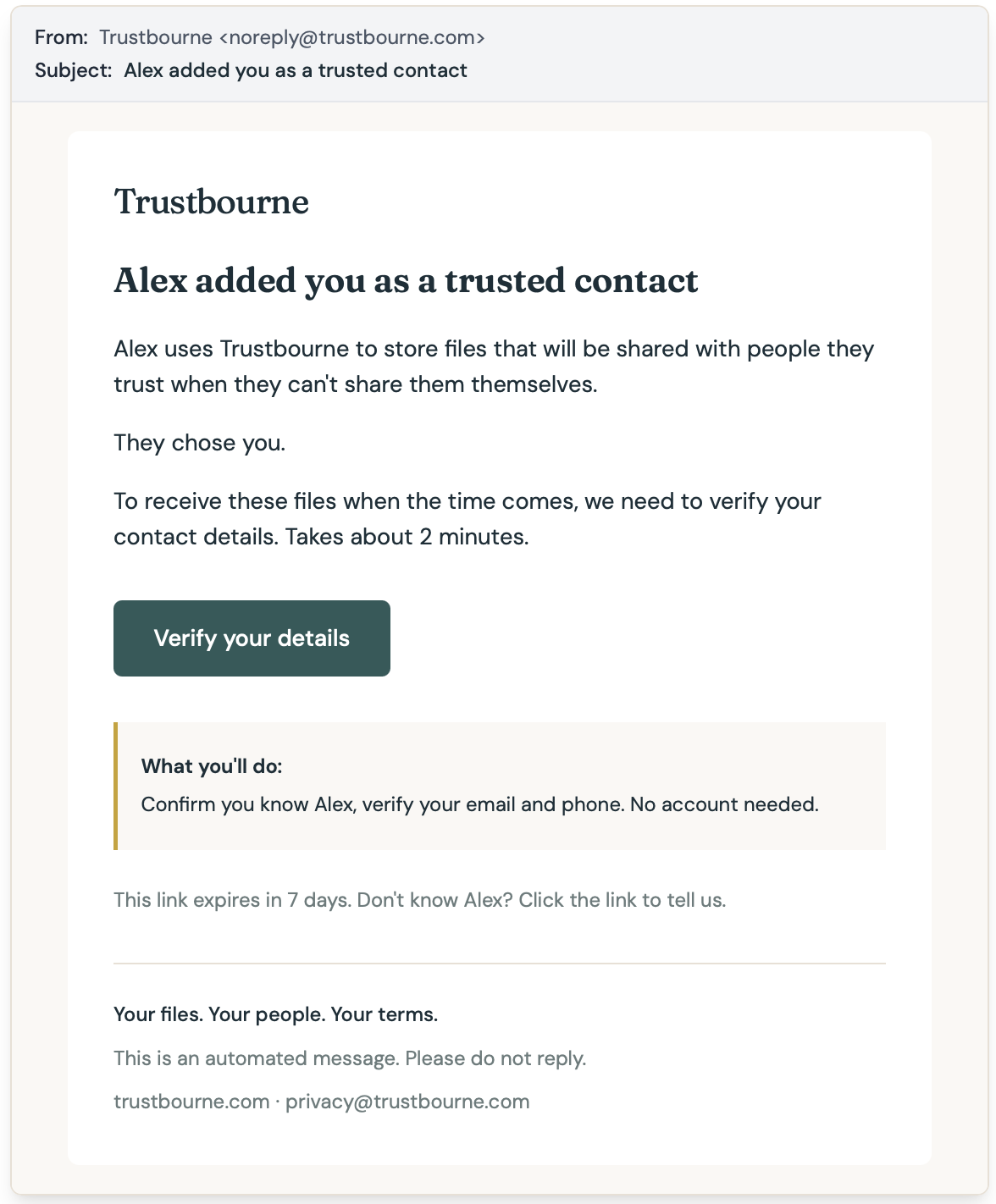
The email doesn't say "dead man's switch." It doesn't open with "in the event of your death." It says you use Trustbourne to store files that will be shared with people you trust when you can't share them yourself. Because that's what it is.
After they verify their email and phone number, they get a confirmation. It tells them what happens next: nothing. Unless you stop checking in. That's it. No app to install, no password to remember, no dashboard to log into. They go back to their life.
This matters. Your contacts didn't sign up for this. You chose them. The less we ask of them upfront, the more likely they actually complete verification. Right now, our confirmation rate during beta is high — most contacts verify within a day.
When something goes wrong
If you miss your check-ins and don't respond to our reminders, we start escalation. Your contacts get an email, an SMS, and a WhatsApp message asking if they've heard from you recently.
The tone is calm. "Have you heard from Alex?" Not "URGENT: Alex may be dead." We're asking for information, not triggering a panic.
There's a link to a simple form where they can tell us what they know. Maybe you're traveling. Maybe you're in the hospital. Maybe they don't know. All valid answers. Their responses help us figure out the right next step — pause and give you more time, or continue toward release.
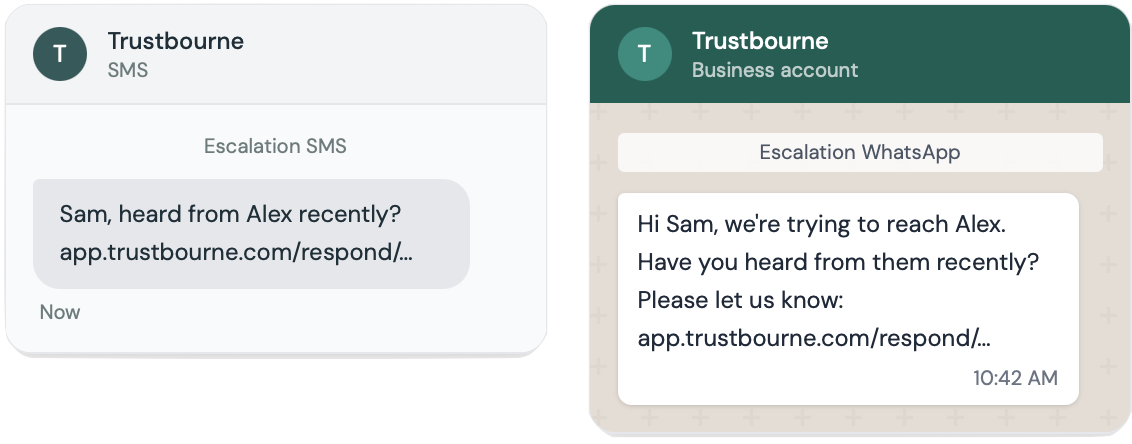
We contact them through every channel they verified. Email, SMS, WhatsApp. If one bounces or gets missed, the others catch it. This is the whole point of requiring multiple channels during verification. Redundancy when it counts.
Vault release
If escalation completes and you still haven't responded, your vault releases. What your contacts receive depends on which encryption mode you chose.
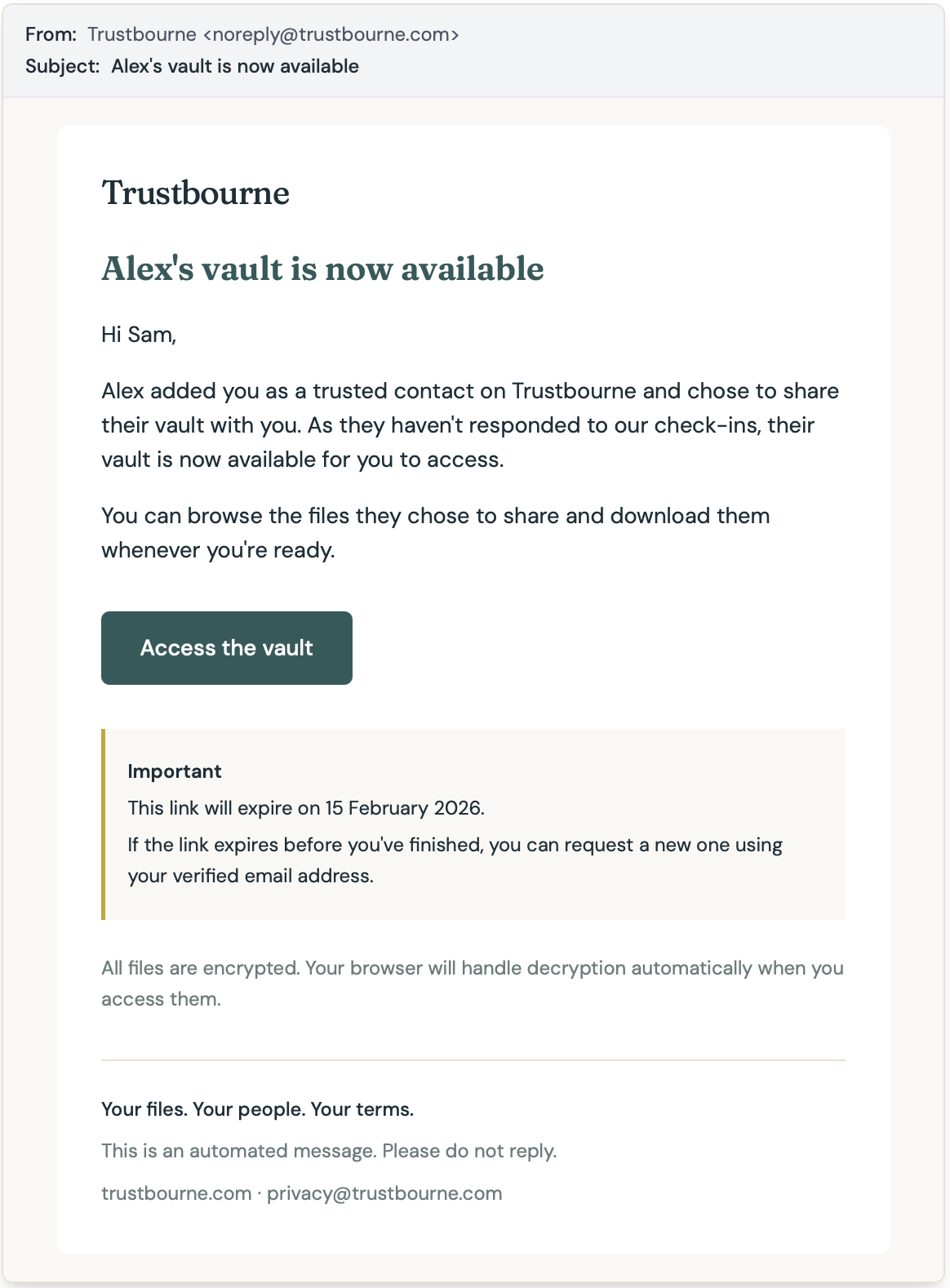
If you're on Seamless mode, they get an email with an access link. They click it, their browser handles decryption automatically, and they can browse your folders and download files. That's it. No passphrase, no technical steps.
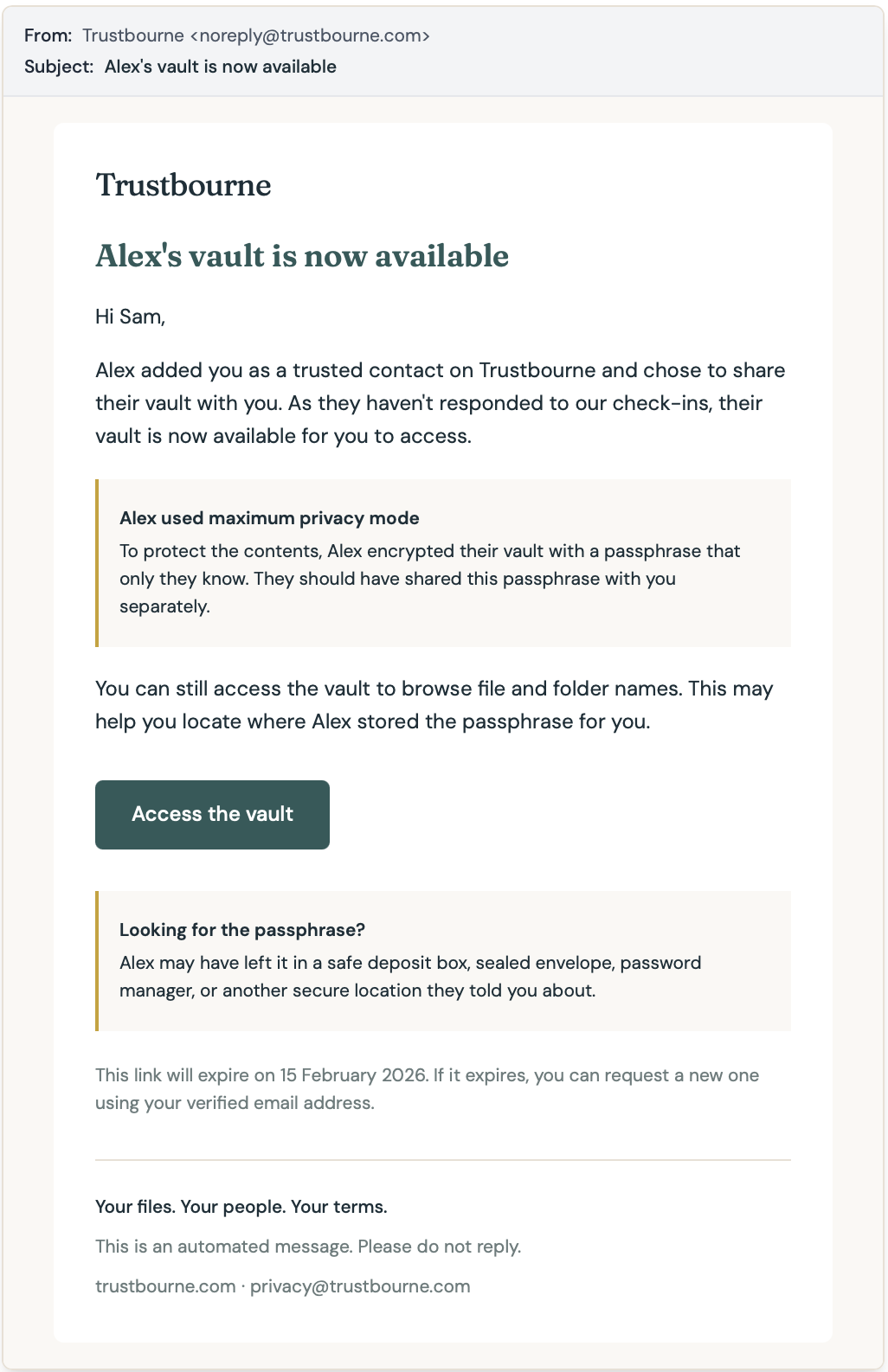
If you're on Maximum Privacy mode, they get the same email — but with an extra section explaining they'll need a passphrase you shared with them separately. Maybe you left it in a sealed envelope, a safe deposit box, or told them in person. The email even suggests places to look.
They can still access the vault without the passphrase — they'll see file names and folder names, which helps them figure out where you might have stored the passphrase. They just can't open the files until they enter it.
Both modes also send a WhatsApp notification. Same link, same access. Multiple channels, every time.
The vault itself
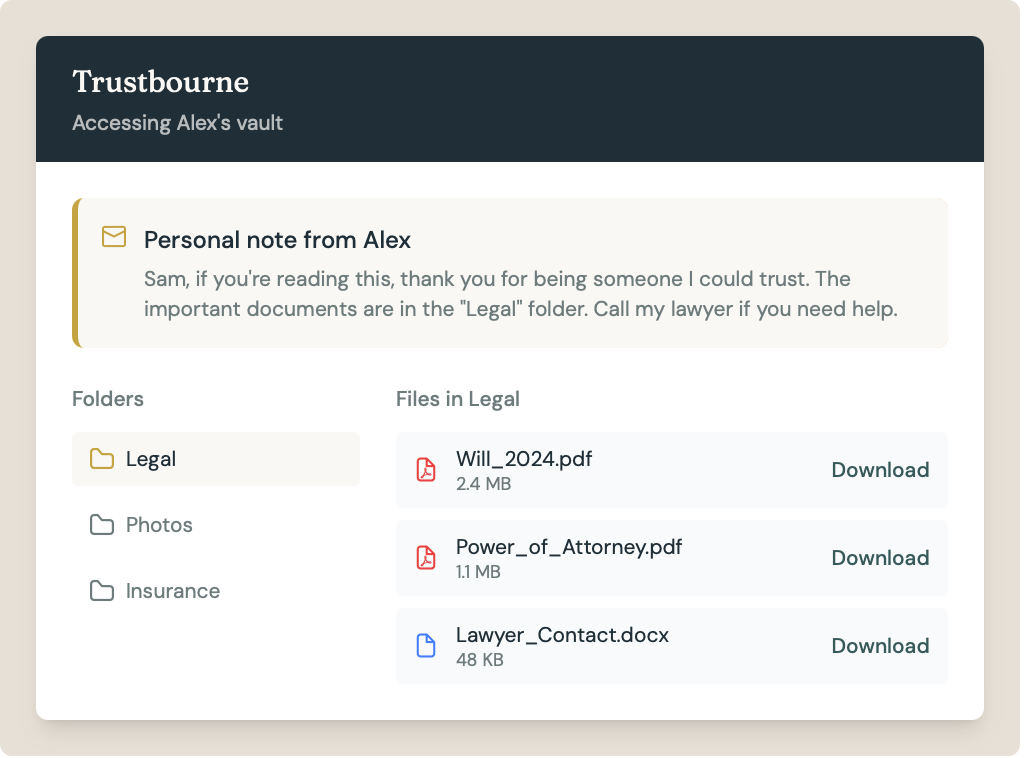
When your contacts open the access link, they see a clean page. Your name, your folders, your files. If you wrote a personal note, it shows up at the top — before anything else.
That note is worth thinking about. It's the first thing they read. You could use it to say where to find important contacts, which folder has what, or just something personal. You could write something like "If you're reading this, thank you for being someone I could trust." When using the Maximum Privacy vaults, the note could contain a clue as to where to find the passphrase.
Files are organized in the same folder structure you created. They can download individual files or everything at once (coming soon). The interface is deliberately simple — no settings, no options, no learning curve. Open, browse, download.
Access links expire after 90 days, with reminders along the way. If the link expires before they're done, they can request a new one with their verified email.
Why this matters
The biggest risk with digital inheritance isn't encryption algorithms or server uptime. It's your contact opening an email in the worst time of their life and not understanding what to do next.
Every screen, every message, every word in Trustbourne's contact flow was written with that moment in mind. We tested it with real people during beta — not tech people, not crypto people, just regular people who got an email saying someone trusted them.
The feedback that mattered most wasn't about features. It was "I understood exactly what was happening at every step."
That's the bar.
Trustbourne is in open beta. If you want to see these flows for yourself, sign up at app.trustbourne.com/register with invite code TB_BETA_2026 and add a contact.